Studio software for laser shows.

Desktop and browser editors. Real-time control of EtherDream, Helios, LaserCube, and IDN DACs. The desktop runs offline. The cloud is optional.

Download CloudLase

macOS · Windows · Linux · Free 7-day Pro trial

ILDA Member, International Laser Display Association

CloudLase is a member of the International Laser Display Association, supporting safe, professional laser display worldwide.

Unlock more from your laser.

Free, subscription, or lifetime.

The desktop runs locally. The optional Cloud Designer runs in any browser.

Free
$0forever

Design laser shows with essential tools.

  • ILDA import and playback
  • Show editor (5 shapes, 3 frames)
  • Timeline and basic effects
  • 1 hardware DAC output
  • ILDA and MP4 export
Download Free
Cloud Designer
$4.99/ month

Online only. No install, no hardware required.

  • Full editor and timeline in your browser
  • Unlimited shapes and frames
  • Cloud storage for your shows
  • ILDA export, run on any laser later
  • 7-day free trial, no charge until day 7
  • No hardware DAC control
Open Cloud Designer

Sign up and start your free trial inside the app.

Best value CloudLase Pro
$9/ month

or $99 lifetime. Pay once, own it forever.

The full desktop. Includes Cloud Sync and Designer.

  • Everything in Free, unlimited
  • All effects, synth engine, performance mode
  • Multi-device DAC output
  • Audio sync and one-click show generation
  • Cloud Sync across your devices
  • Cloud Designer access included
  • Priority support

All prices in USD.

Everything you need to make laser art.

Draw, animate, react to music, sequence shows, perform live, project to real hardware. Every feature ships with the desktop. Most are in the free tier.

  • Visual Design

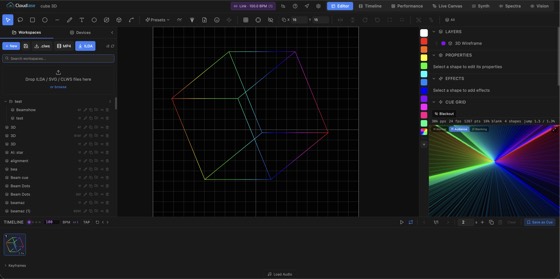
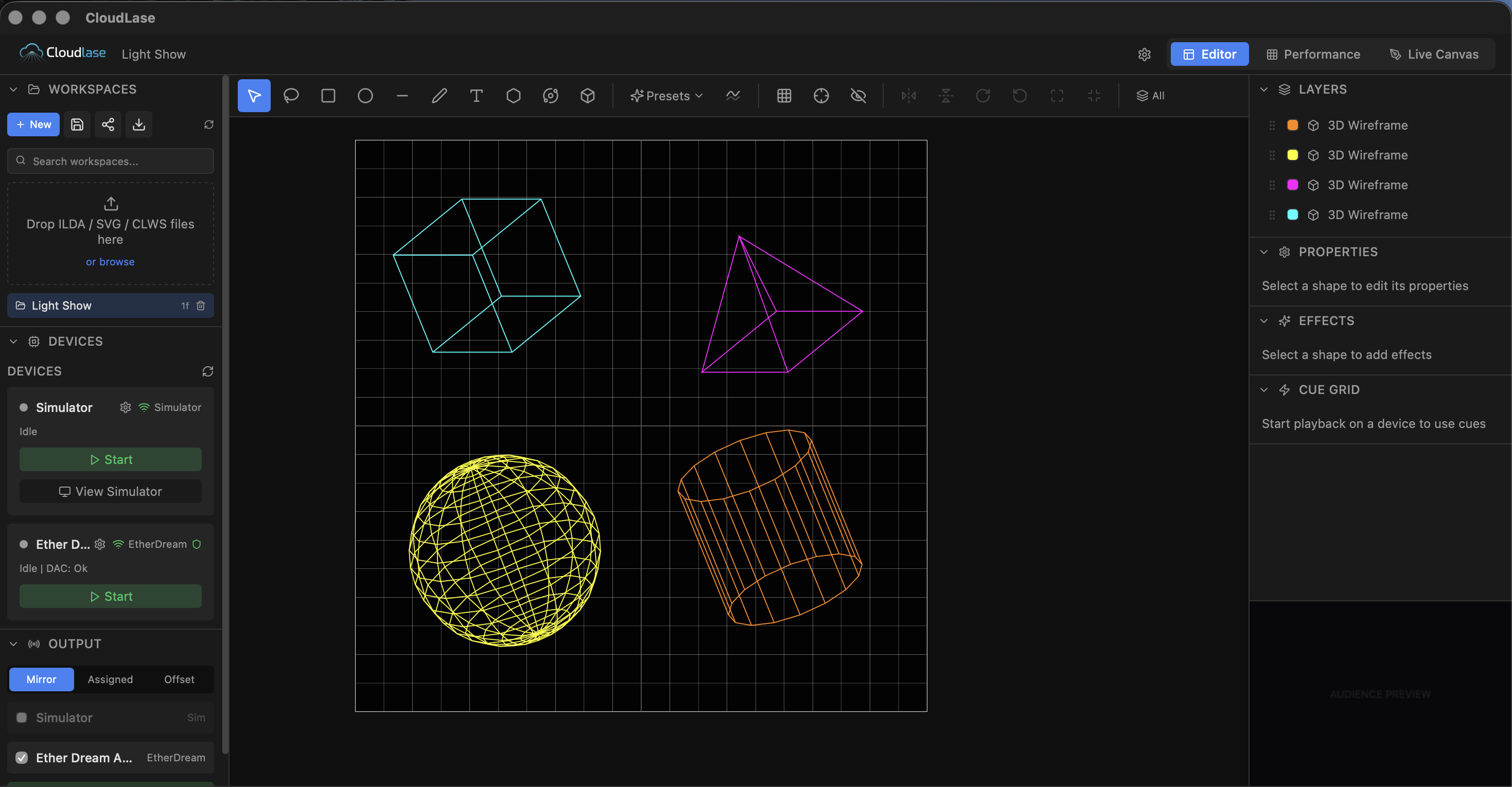
    Rectangles, ellipses, polygons, lines, paths, text with font selection, abstract patterns, and 3D wireframes. Drag-and-drop canvas with multi-select, lasso, snap-to-grid, and undo/redo.

  • Real-Time Effects

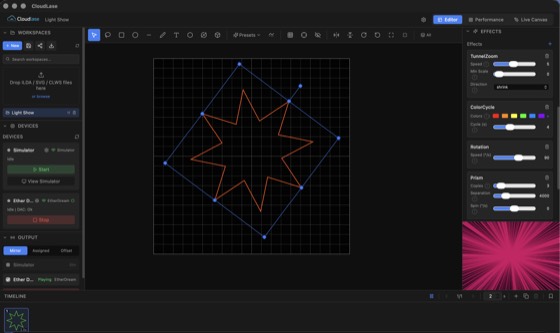
    Rotation, zoom, oscillation, colour cycling, wave, audio-reactive, 3D tumble, prism, clone, spatial rainbow, tunnel zoom, and more. Stack multiple effects on any shape and see results instantly.

  • Keyframe Animation

    Animate any effect parameter over time. Scrub the timeline, set values, stamp keyframes; parameters interpolate smoothly between positions with configurable easing. Colour-coded per shape.

  • Shape & Preset Library

    A growing library of ready-to-use shapes: beam fans, grids, bursts, spectrum visualisers, Lissajous figures, rose curves, spirographs, harmonographs, cycloids, and 3D wireframes.

  • Laser Synth

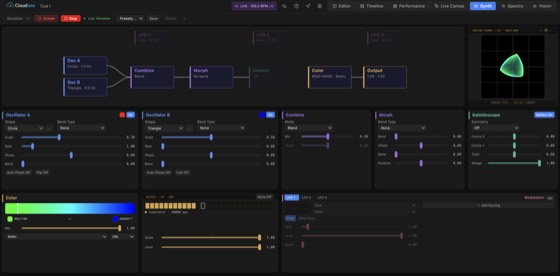
    A modular laser synthesiser for live performance. Two oscillators with 19 shapes feed a morph stage with 13 bend types and 3D rotation, then kaleidoscope symmetry (up to 12-fold), then colour and output. Three LFOs with BPM sync route through a full mod matrix. Interactive signal flow diagram, 9 Quick Slots with crossfade transitions, XY vector scope with phosphor decay, LED output meter, and tap-tempo BPM clock.

  • Audio-Reactive

    Import audio, detect BPM and beats, then drive laser effects from bass, mid, treble, or amplitude. Sync frame playback to audio or run freeform. Automatic show generation from music.

  • Spectra

    Music-reactive abstract visualiser for chill listening sessions. A growing library of modes (spectrum bars, lissajous, concentric rings, liquid wave, spiral pulse and more) with palette, smoothing, gamma, and beat-reactive controls. Drop a track on the panel and watch the laser respond. Drag presets onto the timeline to schedule visual segments inside a show.

  • Multi-Device Output

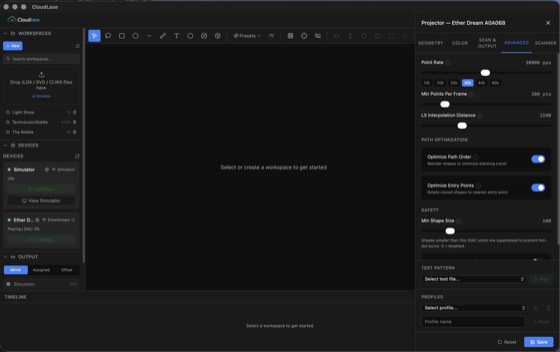
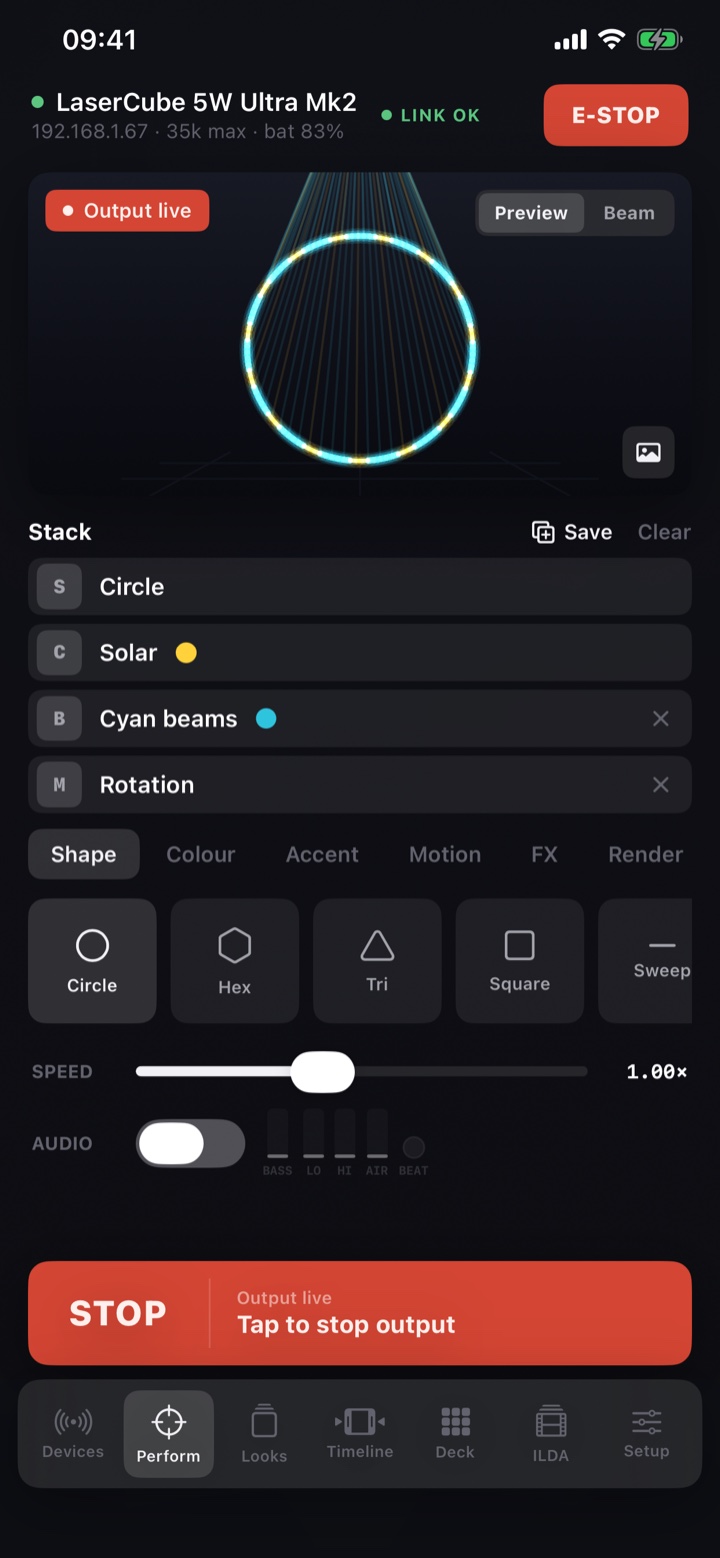
    EtherDream, Helios, LaserCube (Mk1/Mk2 over WiFi or USB), and any IDN-compatible DAC. Per-projector geometry, colour, blanking, scan zone, and profile management. Each venue's calibration is one click away.

  • Performance Mode

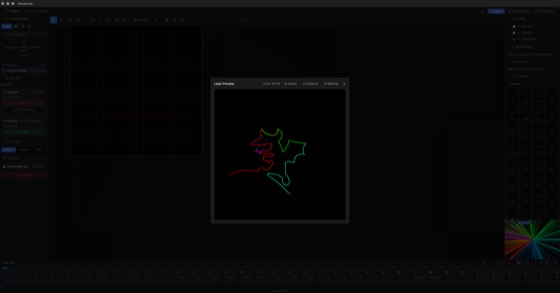
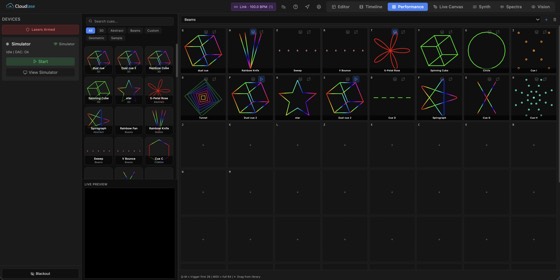
    64-slot cue pages (8×8 grid) triggered by keyboard (Q-M for slots 1–26), MIDI grid controllers (all 64 pads), or Art-Net DMX. Build cue libraries, assign to pages, and perform live with instant cue switching and animated previews.

  • Live Canvas

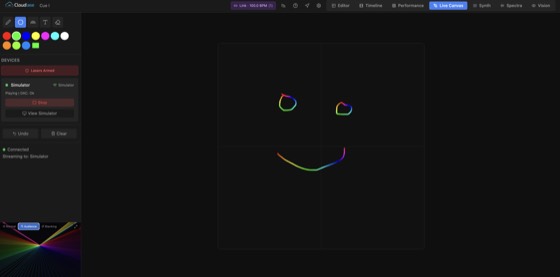
    Freehand drawing streamed directly to laser hardware in real-time. Six brush types: pen, marker, glow, dotted, rainbow, and text. Built for live performances.

  • Collaborative Editing

    Multiple users can edit the same workspace simultaneously. Shape changes sync in real-time via WebSocket. Perfect for teams building shows together.

  • Dynamic Text Sources

    Six text data sources: static, text list, clock, countdown, counter with templates, and API for external control. Push text from Home Assistant or any automation via REST.

  • Timeline Shows

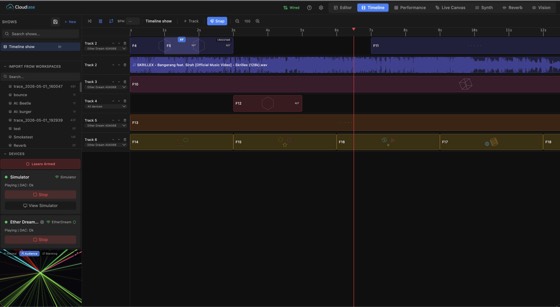
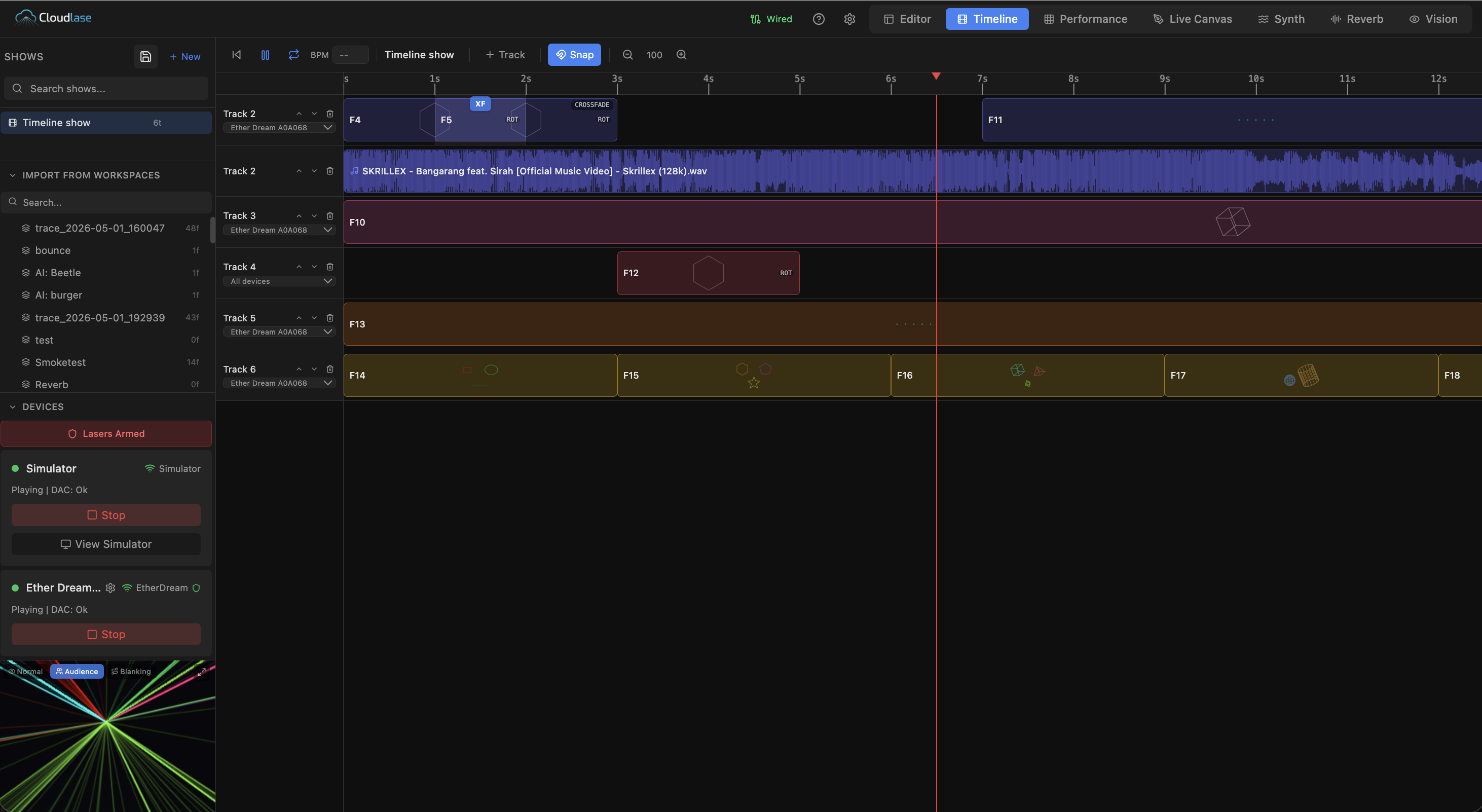
    Multi-track timeline for sequencing laser frames and audio. Drag workspaces onto tracks, overlap clips with crossfade or morph transitions, and play back to any connected DAC with synced audio.

  • ILDA & MP4 Import/Export

    Drag-and-drop ILDA files (.ild/.ilda). Export your shows as standard ILDA for any laser software, render to MP4 video, or save portable CloudLase workspace archives.

  • Virtual DACs & ILDA Recording

    Built-in virtual EtherDream and IDN DACs that appear on the network as real hardware. Record laser output from any software to ILDA files. Preview third-party output live in CloudLase.

Design ILDA files anywhere.

A full laser design studio in the browser. Draw, animate, sequence, and export ILDA frames from a laptop, a hotel room, the back of a tour bus. ILDA is an open format, so the files play back in any control software you already use. Cloud storage syncs your projects to every device.

$4.99 / month · 7-day free trial · no charge until day 7

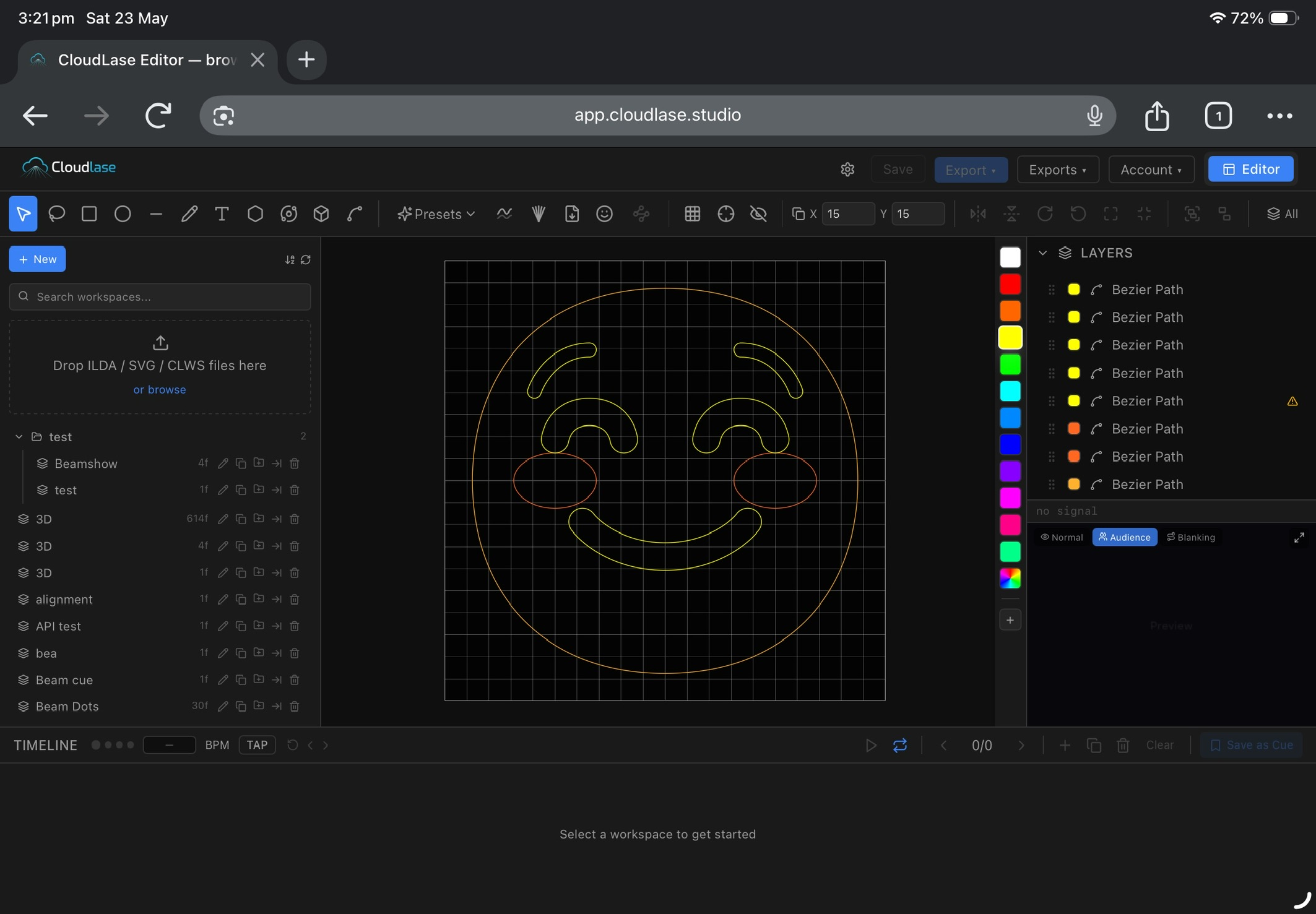
CloudLase Cloud Designer open in Safari on iPad: a yellow smiley face on the editor canvas with layers, presets, and timeline panels visible.

The simulator runs the same engine the hardware does.

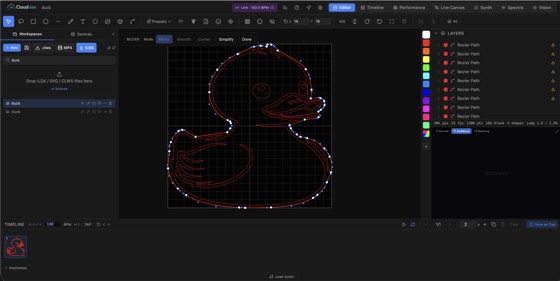
Shapes, beziers, ILDA import, SVG import, multi-select, snap-to-grid, layers, full undo. What you draw on the canvas is what the projector beams: byte-for-byte the same DAC stream.

Canvas
CloudLase editor in bezier mode: a red duck illustration with visible control points being shaped on the canvas.

Sixty-four cues, mapped to keyboard, MIDI, and DMX.

An 8×8 cue grid mapped to your laptop keys (Q to M), any MIDI grid controller, and Art-Net universes. Build cue libraries by act, switch pages mid-show, blackout on a key. Tested in clubs, in theatres, in the back of a van.

Performance
CloudLase performance mode: keyboard-mapped cue grid with animated previews and a live preview pane.

A modular synthesiser for live laser.

Two oscillators feed a morph stage, then a kaleidoscope, then colour and output. Three LFOs with BPM sync route through a full mod matrix on an interactive signal graph. Quick slots crossfade between patches; the vector scope reads back the output with phosphor decay.

  • 19Shape gens
  • 13Morph types
  • 12-foldSymmetry
  • 9Quick slots
  • 3LFOs · BPM sync
  • Unlimited Mod routings
Synth

Drive the show from the music.

Beat detection, BPM lock, bass / mid / treble / amplitude bands routed to any effect parameter. Drop a track on the timeline and frame advancement follows the music. Ableton Link supported.

Spectra

Draw straight to the laser.

Freehand strokes stream to your DAC in real time. Six brush types: pen, marker, glow, dotted, rainbow, text. Zero latency over the local link, undo per stroke, switch devices on the fly.

Live canvas
CloudLase Live Canvas: a rainbow-coloured smiley face being drawn freehand and streamed straight to the simulator preview.

Arrange a whole show.

A multi-track timeline for laser frames, audio, and transitions. Drag workspaces onto tracks, overlap clips with crossfade or morph, drop audio files and the waveform renders inline. Playback stays locked to the music.

Timeline
CloudLase timeline shows: multi-track timeline with laser clips, audio waveform, transitions.

Talks to the DAC you already have.

Direct support for the DACs working operators actually run. Network and USB, auto-discovery where the protocol allows, per-projector calibration profiles so each venue is one click away.

Network
  • EtherDream
  • Helios + IDN
  • Helios Pro
  • LaserCube WiFi
  • StageMate ISP
  • Any IDN device
USB
  • Helios USB
  • LaserCube USB
  • Raycomposer
Virtual & test
  • Virtual EtherDream
  • Virtual IDN
  • Built-in simulator

Free for students and teachers.

A 12-month Pro licence at no cost for verified students, lecturers, researchers, and accredited institutions. Renewable annually, non-commercial use.

Apply for an education licence

Things people ask.

Do I need laser hardware to try CloudLase?

No! The built-in real-time simulator lets you preview laser output entirely in your browser. The free tier also supports one hardware DAC. Import ILDA files and project them to your laser. The full show designer and editor unlock with a license.

What laser DACs are supported?

CloudLase supports EtherDream, Helios USB, LaserCube (WiFi and USB), Raycomposer, and IDN (ILDA Digital Network) DACs. Multi-device output is supported. Connect multiple projectors with independent calibration profiles.

How does it work?

Download the CloudLase app for your platform. It runs a lightweight local server and opens the design interface in your browser. All your designs, hardware communication, and laser output are handled locally on your machine. No internet or cloud account required.

Can I use it for live performances?

Absolutely. Performance Mode gives you a full-screen 64-slot cue grid (8×8): 26 keyboard-mapped (Q to M), all 64 reachable via MIDI grid controllers, plus Art-Net DMX control and instant cue switching. Live Canvas lets you freehand draw directly to the laser in real-time. Audio-reactive effects sync to the music automatically.

What file formats are supported?

Import and export standard ILDA files (.ild/.ilda) for compatibility with any laser software. Import SVG vector graphics with full path support. Save and share portable CloudLase workspace archives (.clws) that include all frames, effects, and audio.

Does it work with Art-Net / DMX?

Yes. CloudLase includes a built-in Art-Net listener (UDP port 6454) with 11-channel DMX control: master brightness, position, rotation, scale, colour shift, and cue triggering. Configure the universe, start address, and target device from Settings.

Can multiple people collaborate?

Yes. Multiple users can connect to the same CloudLase instance and edit shapes simultaneously. Changes sync in real-time via WebSocket. Great for teams designing shows together.

What platforms are supported?

macOS (Apple Silicon and Intel), Windows, and Linux are all supported. Download the latest version for your platform from the download page.

Plug in. Project.

Download for your platform. The 7-day Pro trial unlocks the full studio. No card, no account, no email gate.